How To Download Your PAN Card Online: A Simple Step-by-Step Guide
The Income Tax Department provides a paperless process to download an e-PAN via the Protean or UTIITSL portals. Users can authenticate using their Aadhaar-linked mobile number to receive an OTP. The downloaded PDF, secured with a password based on the user's date of birth (DDMMYYYY), serves as a legally valid digital copy for official financial and tax-related purposes.

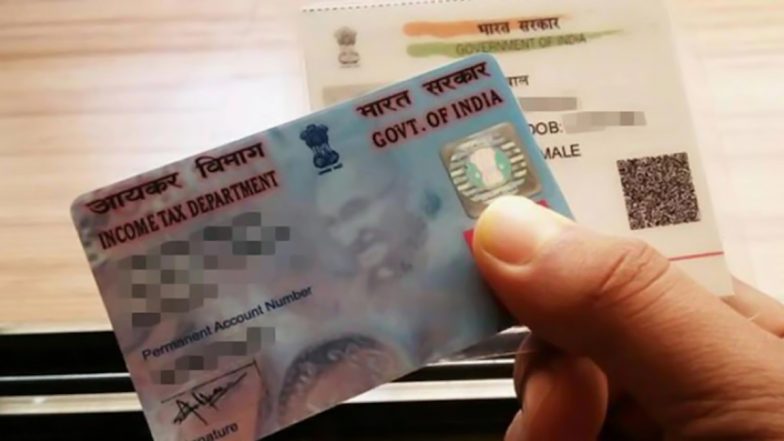
For many Indian taxpayers, having quick access to a digital copy of their Permanent Account Number (PAN) card is essential for financial transactions, banking updates, and filing returns. Fortunately, both the Income Tax Department - through the Protean eGov Technologies (formerly NSDL) portal and the UTI Infrastructure Technology and Services Limited (UTIITSL) portal - offer a streamlined, paperless process for downloading an e-PAN.
The facility allows individuals to download a digitally signed PDF version of their PAN card, which is legally valid for all official purposes. Whether you have lost your physical card or simply require a digital backup, the process is straightforward and typically completed in a few minutes. Free Aadhaar Email Update: Step-by-Step Guide To Link Your Email ID to Aadhaar Using the App.
Prerequisites for Downloading e-PAN
Before initiating the download process, ensure you have the following details readily available:
- PAN Number: Your ten-digit alphanumeric Permanent Account Number.
- Aadhaar Number: The 12-digit identification number linked to your PAN.
- Registered Mobile Number: Your mobile number must be linked with your Aadhaar for OTP-based authentication.
- Date of Birth: As mentioned on your PAN card.
Step-by-Step Download via the Protean (NSDL) Portal
If your PAN was originally issued through the Protean/NSDL portal, follow these steps to obtain your e-PAN:
- Visit the Official Portal: Navigate to the official Income Tax e-Filing website or the Protean e-PAN download page.
- Access the Download Section: Look for the "Download e-PAN" link under the quick links section.
- Enter Details: Provide your PAN, Aadhaar number, and date of birth.
- Verify via OTP: An OTP will be sent to the mobile number registered with your Aadhaar. Enter this code to proceed.
- Payment and Download: For cards issued or updated within the last 30 days, the download is free. If it has been longer, a nominal processing fee may apply. Once confirmed, you can download the PDF.
Important Considerations To Download e-PAN
It is important to note that the e-PAN is a digitally signed file protected by a password. The password to open the document is your date of birth in the format DDMMYYYY. If you encounter issues during the process, ensure your Aadhaar-linked mobile number is active to receive the OTP. If your PAN was issued by UTIITSL, you must use their specific UTIITSL portal rather than the NSDL page. If you are unsure which portal issued your card, you can check the back of your physical PAN card for the logo or contact details of the issuing agency. EPFO Restores Passbook Portal After Maintenance, Members Can Log In Again Ahead of 8.25% Interest Credit.
For those whose mobile numbers are not linked to their Aadhaar, the digital download service may not be accessible. In such cases, taxpayers are advised to visit their nearest Aadhaar centre to update their contact details or contact the Income Tax Department’s helpline for further guidance.
(The above story first appeared on LatestLY on Jul 12, 2026 04:13 PM IST. For more news and updates on politics, world, sports, entertainment and lifestyle, log on to our website latestly.com).