Har Ghar Tiranga 2026: Complete Guide to Uploading Your Tricolour Selfie Online
Running from August 9 to 17, the Har Ghar Tiranga campaign invites citizens to hoist the National Flag and share selfies online. Participants can visit the official portal to upload photos free of charge and download official Ministry of Culture certificates. Citizens can complete the submission process directly through the official web platform without paying any registration fees.

- Read in
- हिंदी
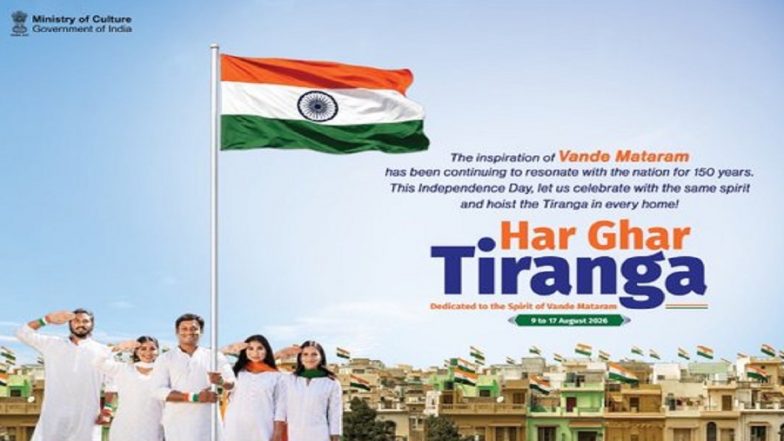
As India prepares to mark its 80th Independence Day, the government’s popular Har Ghar Tiranga campaign has officially commenced. Running from August 9 to August 17, the nationwide initiative encourages citizens to hoist the National Flag at their homes and share their participation online. A central feature of the campaign is the digital portal that allows participants to upload a selfie with the Tricolour and download an official certificate of participation. This year’s campaign also runs alongside celebrations marking 150 years of the National Song, Vande Mataram.
Prerequisites and Preparation
Before visiting the official portal, participants should ensure they have a clear photograph ready.
- The image must feature you or your family alongside the hoisted National Flag (Tiranga).
- Ensure the photograph is saved on your smartphone or computer in a standard format (such as JPEG or PNG) for quick uploading.
- Keep your mobile phone nearby to receive verification details if prompted. PM Narendra Modi Urges Citizens to Join 'Har Ghar Tiranga' Campaign Ahead of Independence Day 2026.
Step-by-Step Instructions to Upload Your Selfie
Citizens can complete the submission process directly through the official web platform without paying any registration fees. Follow these steps to log your participation:
- Visit the Portal: Open your web browser and go to the official Har Ghar Tiranga website at harghartiranga.com.
- Navigate to the Upload Section: Select the option for uploading a selfie or participating in the campaign.
- Enter Basic Details: Provide your required personal information, including your full name, mobile number, and your state or country.
- Upload Your Photograph: Use the drag-and-drop tool or click "Browse Files" to select and upload your Tiranga selfie from your device. Submit the media through the portal interface.
- Generate and Download Your Certificate: Once the upload is successfully processed, proceed to the certificate generation step to download your official Ministry of Culture participation certificate. Independence Day 2026: Har Ghar Tiranga Dates, Flag Code Rules and Guidelines.
Important Guidelines and Status Checks
Participants should note that uploaded images may undergo a brief moderation check before appearing publicly or reflecting final status updates on the platform. If a certificate does not generate immediately, verify that the image submission went through successfully or check back once moderation is complete. Authorities have advised citizens to exclusively use the official government portal and avoid unauthorised third-party apps or fee-charging links.
(The above story first appeared on LatestLY on Aug 13, 2026 04:09 PM IST. For more news and updates on politics, world, sports, entertainment and lifestyle, log on to our website latestly.com).