Har Ghar Tiranga Selfie 2026: Step-by-Step Guide To Upload Photo and Generate Your Digital Certificate
Independence Day brings a familiar excitement across India. As August 15 approaches, homes, schools, offices and neighbourhoods begin to reflect the colours of the Tiranga, and displaying the National Flag becomes a simple but meaningful way for Indians to express their pride. The feeling extends beyond the physical flag as people also look for ways to participate in the celebrations digitally.

Independence Day brings a familiar excitement across India. As August 15 approaches, homes, schools, offices and neighbourhoods begin to reflect the colours of the Tiranga, and displaying the National Flag becomes a simple but meaningful way for Indians to express their pride. The feeling extends beyond the physical flag as people also look for ways to participate in the celebrations digitally.
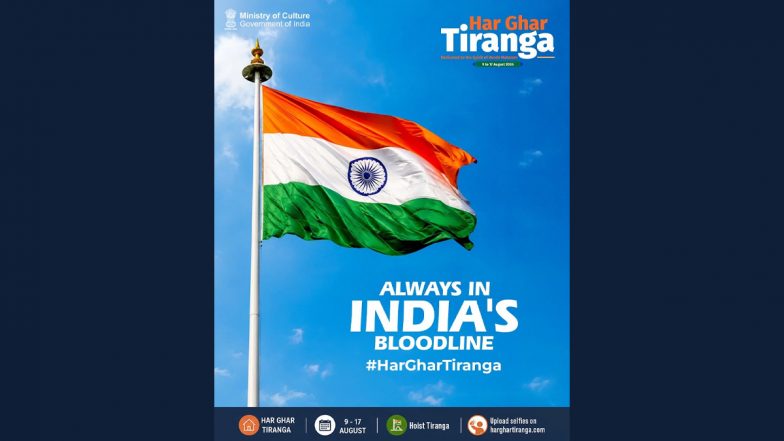
This year, the Har Ghar Tiranga campaign is running from August 9 to August 17, giving citizens and members of the Indian diaspora an opportunity to display the Tiranga and share their participation through the official campaign portal. The Selfie with Tiranga initiative allows participants to upload a photograph with the National Flag and generate a digital certificate. Independence Day 2026: Har Ghar Tiranga Dates, Flag Code Rules and Guidelines.
Har Ghar Tiranga Selfie 2026: Steps To Participate
Step 1: Visit Official Har Ghar Tiranga Website
Go to the official Har Ghar Tiranga portal, harghartiranga.com. Use the official website rather than third-party pages offering certificates or asking for payment.
Step 2: Enter Your Details
The portal asks participants to enter details such as their name, mobile number and country or state, depending on the information requested on the website. Follow the fields displayed on the portal at the time of participation.
Step 3: Take A Picture With Tiranga
Display the National Flag respectfully and click a clear photograph or selfie with it. The official portal's participation process includes clicking a picture while hoisting the Tiranga.
Step 4: Upload The Photograph
Use the image-upload section to add your photograph. The portal currently provides options to drag and drop a file, browse the device for an image or click a picture directly before uploading it.
Step 5: Submit The Selfie
Complete the submission process shown on the website after uploading the photograph. The image may be sent for moderation before appearing in the campaign's media gallery. The official portal notes that submitted photographs can be awaiting moderation, rejected or successfully submitted.
Step 6: Generate Certificate
Once the participation process is completed, use the Generate Certificate option on the portal. The official website lists certificate generation as part of its selfie-upload process.
Step 7: Save The Digital Certificate
After the certificate is generated, download or save the digital copy on your device for future reference.
Har Ghar Tiranga Selfie 2026: Things To Remember
- Use only the official Har Ghar Tiranga portal.
- Take a clear photograph with the National Flag.
- Enter the requested details carefully.
- Follow the instructions shown during image upload and submission.
- Wait for the submission or moderation process where applicable.
- Generate the certificate through the official portal.
- Save the digital certificate after it is generated.
- Follow the Flag Code of India and display the National Flag with dignity.
Har Ghar Tiranga Selfie Certificate Is Free
The official portal provides the selfie-upload and certificate-generation facilities as part of the campaign. The website does not indicate a fee for these services. Participants should avoid third-party websites or individuals asking for money or sensitive financial details in exchange for a Har Ghar Tiranga certificate. ‘Tricolour Is Our Pride’: PM Narendra Modi Calls for Public Participation in ‘Har Ghar Tiranga’ Campaign.
Where To Upload Har Ghar Tiranga Selfie 2026
Participants can use the official Har Ghar Tiranga portal at harghartiranga.com to upload their selfie and access the certificate-generation facility.
(The above story first appeared on LatestLY on Aug 10, 2026 12:32 PM IST. For more news and updates on politics, world, sports, entertainment and lifestyle, log on to our website latestly.com).