UGC NET June 2026 Admit Card Out at ugcnet.nta.nic.in; How To Download Hall Ticket Online
The NTA released the UGC NET June 2026 admit cards today, June 17, for exams scheduled between June 22 and June 30. Candidates can download their hall tickets and mandatory undertaking forms at ugcnet.nta.nic.in using their application number and DOB. For discrepancies or download issues, the NTA helpdesk is available at 011-40759000.

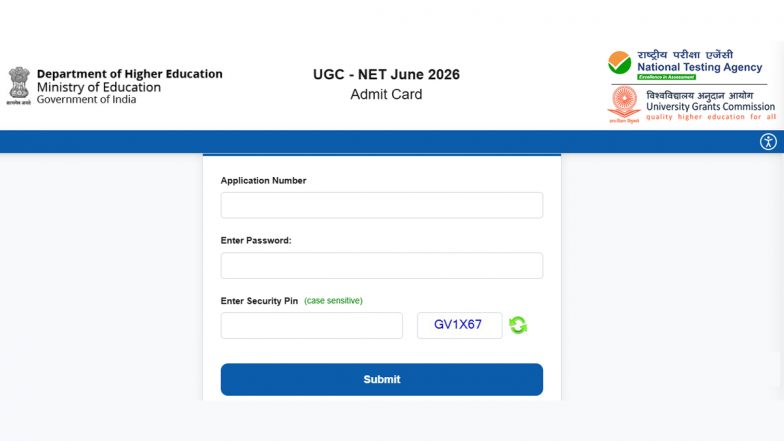
The National Testing Agency (NTA) officially released the admit cards for the University Grants Commission National Eligibility Test (UGC NET) June 2026 session today, June 17. Candidates scheduled to take the eligibility exam can now access and download their hall tickets directly from the official portal at ugcnet.nta.nic.in. The newly active links cover all examination dates slated between June 22 and June 30.
UGC NET 2026 Examination Schedule and Purpose
The national-level eligibility test is set to take place across multiple designated centres nationwide on June 22, 23, 24, 25, 29, and 30. The UGC NET serves as India's benchmark examination to determine the eligibility of Indian nationals for:
- Junior Research Fellowship (JRF)
- Appointment as Assistant Professors
- Direct admissions into PhD programs in Indian colleges and universities
Before this rollout, the NTA had provided candidates with their Advance City Intimation Slips on June 10, to facilitate timely travel and logistical arrangements. The agency clarified that the previous city slip cannot be used to gain entry to the exam hall, and candidates must bring a freshly printed copy of their actual admit card. How To Download NEET UG 2026 Re-Exam Admit Card for the June 21 Test.
Steps To Download the UGC NET June 2026 Admit Card
Candidates can download their hall tickets by executing the following procedure on the official web portal:
- Open a web browser and navigate directly to the official NTA UGC NET website at ugcnet.nta.nic.in.
- Find and click on the prominent link labelled "UGC NET June 2026 Admit Card" under the candidate activity section on the homepage.
- Provide your unique Application Number, Date of Birth, and the visible alphanumeric Security PIN (Captcha) into the designated fields.
- Click on the "Submit" button. Verify that the displayed admit card shows your correct name, photograph, and examination centre details.
- Click the download option to save the hall ticket as a PDF. Ensure you take a clear, physical printout along with the mandatory undertaking form to present on the day of the exam.
Crucial Documents and Helpdesk Support
Alongside the printed admit card, candidates are required to download, fill out, and bring the undertaking form available on the official web portal. The NTA has strictly advised all test-takers to review the specific shift times, reporting windows, and dress code instructions printed on their hall tickets before heading to their allotted centres. MPBSE MP Board Results 2026: Class 10 Second Examination Results Declared at result.mponline.gov.in; Students Can Check Scores Online.
For applicants encountering technical glitches during the download process or noticing discrepancies in their personal data, the testing agency has opened support lines. Candidates can seek immediate assistance via the NTA Helpdesk by calling 011-40759000 or by sending an email with their application details to ugcnet@nta.ac.in.
(The above story first appeared on LatestLY on Jun 17, 2026 10:48 AM IST. For more news and updates on politics, world, sports, entertainment and lifestyle, log on to our website latestly.com).