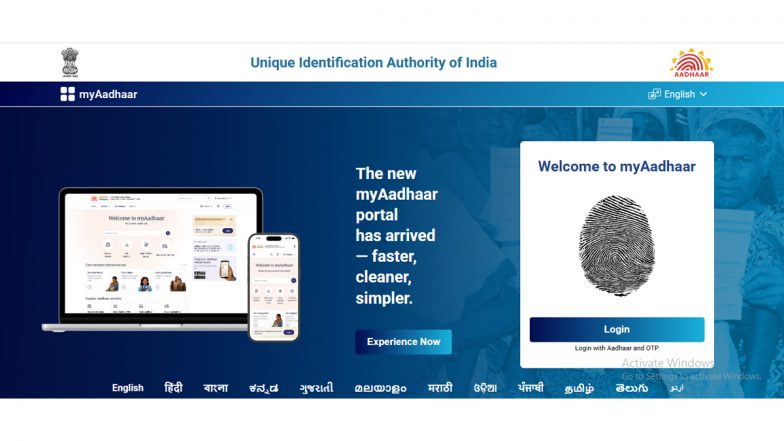
How To Download and Set Up the Aadhaar App: Step-by-Step Guide As Downloads Cross 40 Million
The official Aadhaar application has surpassed 4 crore downloads, reflecting a surge in paperless governance. Users are leveraging the mobile platform for record management, updates, and secure authentication, backed by features like biometric locking and waived email update fees. Scroll vbelow to know the steps to download the Aadhaar app.


India’s digital identity ecosystem has achieved a major milestone as the official Aadhaar application crossed the 4 crore (40 million) download mark. According to data released by the Ministry of Electronics and Information Technology (MeitY) and the Unique Identification Authority of India (UIDAI), the surge in adoption highlights a broader shift toward mobile-first identity management. Citizens are increasingly utilising the platform to manage records, update personal details, and execute secure authentication without visiting physical enrolment centres.
Growth and Digital Adoption Milestones
The expanding user base reflects strong public confidence in paperless governance. Government statistics indicate that the app has successfully facilitated nearly 49 lakh mobile number updates and over 11.65 lakh address changes. How To Check if Your Mobile Number Is Linked to Your Aadhaar: A Step-by-Step Guide.
Aadhaar App Crosses 40 Million Downloads
The Aadhaar App has crossed a significant milestone of 40 million (4 crore) downloads, underscoring the growing trust of residents in convenient and digital-first identity services.
For more details, click here - https://t.co/GVXqaTVlfi#AadhaarApp #DigitalIdentity #Aadhaar pic.twitter.com/qLe5eLSDyQ
— Aadhaar (@UIDAI) July 18, 2026
Additionally, a newly introduced email update feature has logged roughly 12.5 lakh additions or modifications since its launch. To encourage wider digital uptake, UIDAI has waived the standard fee for email updates processed through the application until December 31. Security features have also seen heavy engagement, with users deploying the biometric lock and unlock facility more than 1.91 crore times to secure their identity credentials.
How To Download Aadhaar App
Your digital identity is now in your pocket.
Download Aadhaar App today, by just clicking link - https://t.co/xCUoUrvnRC#AadhaarApp #AadhaarServices #DigitalIdentity #EaseofLiving pic.twitter.com/5wxIJXVKjl
— Aadhaar (@UIDAI) July 14, 2026
Step-by-Step Guide: How to Download the Aadhaar App
Downloading and setting up the official application is straightforward for smartphone users. The app is compatible with major mobile operating systems.
- For Android Users: Open the Google Play Store, search for the official Aadhaar app, and tap Install. Ensure the application is published by UIDAI to avoid unofficial or fraudulent platforms.
- For iOS Users: Open the Apple App Store, locate the official application, and select Get or Download. Aadhaar Letter, PVC Card or App: Which Version Is Valid for Identity Proof?
Setting Up and Registering Your Profile
Once the application is successfully installed on your device, follow these steps to complete your registration:
- Launch the App: Open the application and grant the necessary permission prompts for smooth functionality.
- Select Language: Choose your preferred official language from the available options.
- Enter Details: Input your 12-digit Aadhaar number and agree to the terms and conditions.
- Verify via OTP: Enter the One-Time Password (OTP) sent to your registered mobile number.
- Create a Security PIN: Set up a secure 6-digit PIN to protect your profile and restrict unauthorised access during future logins.
With the setup complete, users can access e-Aadhaar downloads, check authentication history, perform selective credential sharing, and submit address or mobile updates directly from their mobile devices.
(The above story first appeared on LatestLY on Jul 21, 2026 09:47 AM IST. For more news and updates on politics, world, sports, entertainment and lifestyle, log on to our website latestly.com).