How to Use TradingView Broker Integration for Seamless Trading?
Use TradingView broker integration to trade directly on the charts and leverage its full potential via your broker platform. Let’s discuss how to do so.

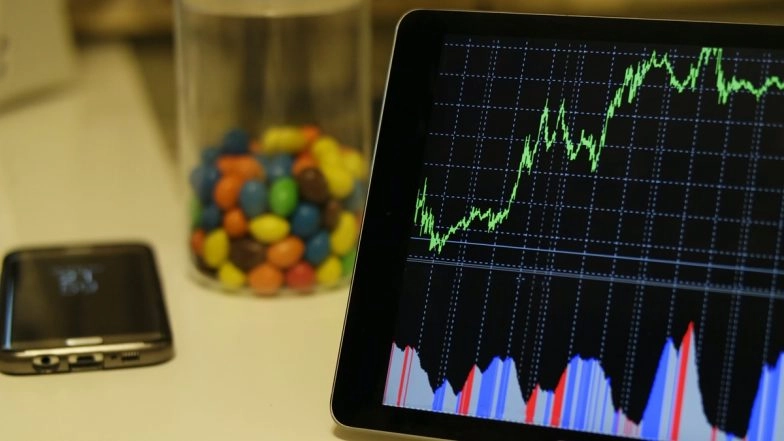
TradingView is known for its technical analysis tools, advanced charting features, and community networking capabilities. It is a powerful market analysis platform that you can use to seamlessly trade various securities including stocks, derivatives, and more.
You can customize charts and indicators, backtest strategies, set alerts, conduct technical and fundamental analysis, or utilize pre-built strategies and tools from the community of 50 million plus traders worldwide.
For all this, you don’t need to juggle between TradingView and your broker platform. Use TradingView broker integration to trade directly on the charts and leverage its full potential via your broker platform. Let’s discuss how to do so.
Steps to Use TradingView Broker Integration
Follow this step-by-step guide to integrate your broker account with TradingView.
Step 1: Open Account with a Broker
Begin with registering yourself with an online investment and trading platform that provides TradingView integration like Dhan. Currently, Dhan is the only that allows traders to trade stocks and derivatives directly from TradingView. Indian stock broking platform
If you are already a Dhan user, you can jump to Step 2 straightaway.
Step 2: Register Yourself on TradingView
Signup on TradingView and set up your account. Fill in all the required information and choose the subscription plan you want to go with. You can access all TradingView free charts and other features via the Dhan TradingView broker integration.
If you already have an account then sign in and continue.
Step 3: Choose Dhan on TradingView Panel and Authorize the Connection
Once you log into your TradingView account, go to Charts and then the Trading Panel. From the broker list choose Dhan. Next, you will be asked to log in to Dhan.
Use your Dhan app to scan the QR code and you are ready to place orders and execute trades from TradingView through your Dhan account.
Step 4: Customize Charts and Add Indicators
Before placing trades, you can use the navigation tab on the top left corner of TradingView to customize charts to suit your needs. You can unlock deep insights by studying these charts that provide real-time price changes even in a 1-second time frame.
You can use multiple indicators on a single chart. Build your indicators from scratch using Pine scripts or use the pre-built indicators from the community library.
Step 5: Build/Test Strategies and Make the Trade
Identify potential opportunities and trade directly on charts. Click on the chart and enter a buy or sell order directly through Dhan. Or else, you can build your own strategies on Dhan and backtest them on TradingView using its advanced bar replays and stock screeners.
You can also use the pre-built strategies developed and tested by thousands of experts on Dhan.
Set your stop loss and profit levels and customized price alerts based on the same. You can monitor the trade from the chart once you have entered it and make adjustments accordingly.
Conclusion
Using TradingView broker integration through Dhan can help you leverage real-time data and charting tools and make trades at a lightning-fast speed. The broker integration offers an extremely useful interface where traders can benefit from the synergized capabilities of Dhan and TradingView.
If you are a trader who loves to trade on charts then the Dhan TradingView integration is for you. All you need is to connect your Dhan account with TradingView and start trading!