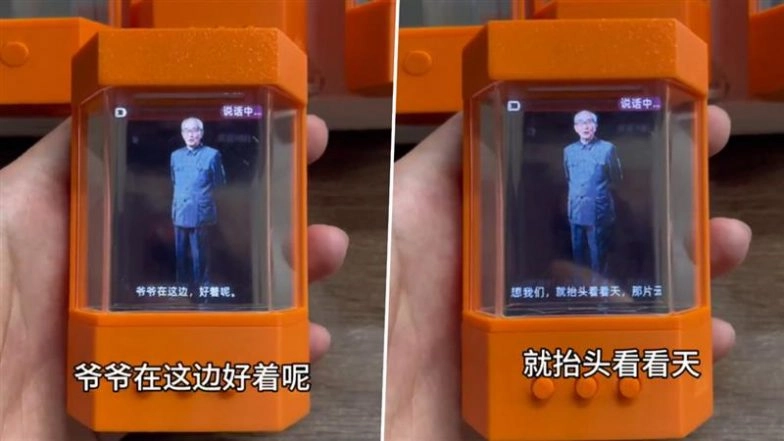
9 Best AI Avatar Generators for Creative Video Making
Assessments focus on customization options, realism and accuracy, ease of use, speed and efficiency, output quality, and AI integration. Based on extensive hands-on use, I've compiled a list of the most effective AI avatar generators that stand out for their ease of use and advanced capabilities.


Starting your journey in avatar creation can feel overwhelming, given the vast array of software options available. With so many choices, it's difficult to know where to begin. With years of professional experience in digital media and visual content creation, each tool is approached using a methodical and detailed testing process to ensure a thorough evaluation. Assessments focus on customization options, realism and accuracy, ease of use, speed and efficiency, output quality, and AI integration. Based on extensive hands-on use, I've compiled a list of the most effective AI avatar generators that stand out for their ease of use and advanced capabilities.
Key Takeaways
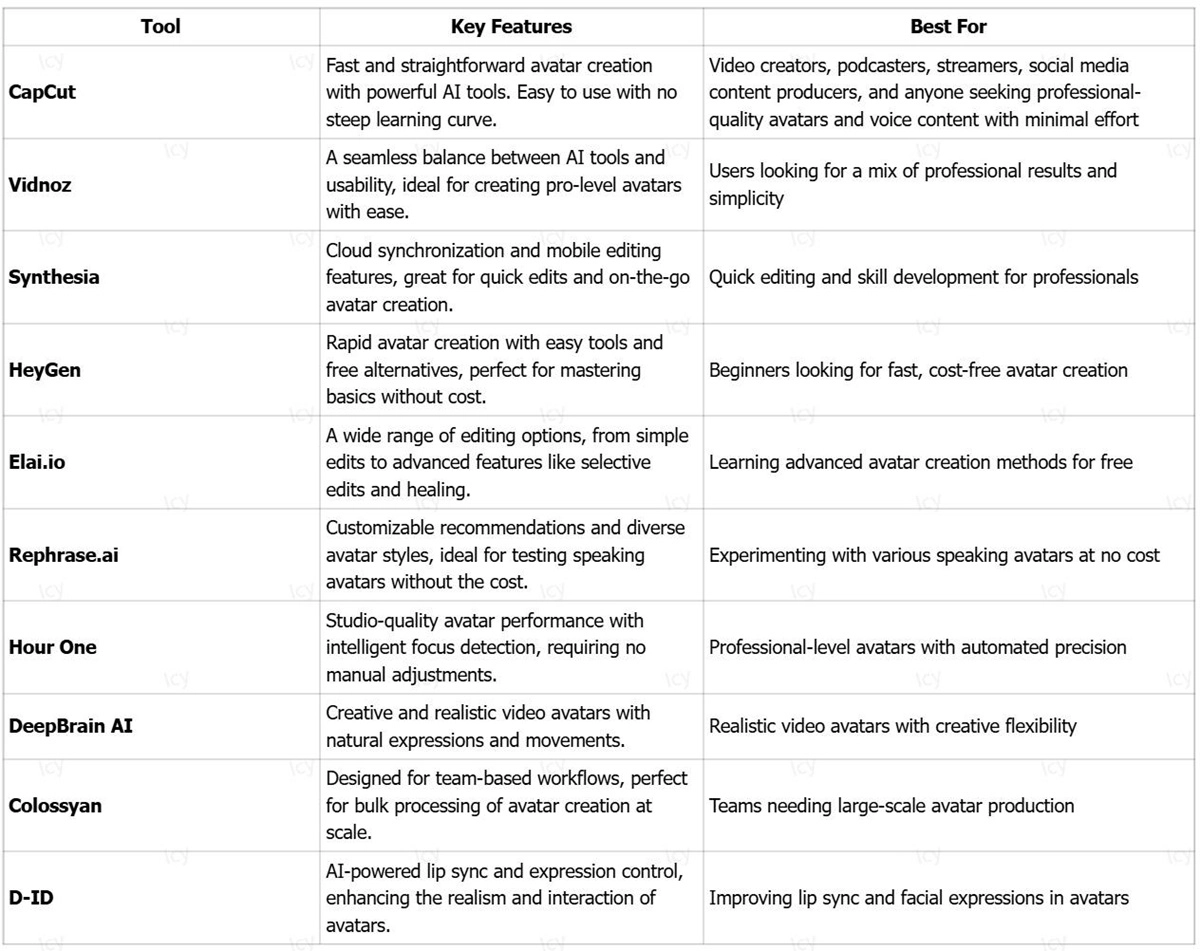
Here's a look at some of the top AI avatar generators I recommend, each offering a balance of robust features and user-friendly interfaces, perfect for those just starting in the field of creating digital portraits:
Testing the 10 Amazing AI Avatar Generators in 2025
Over the years, I have utilized these tools for various avatar creation needs, ensuring that my insights are based on real, long-term use. Through this hands-on experience, I have carefully evaluated their performance, usability, and overall effectiveness.
When selecting the most reliable AI avatar generators, I focused on several key factors that are crucial for both professional and personal use:
I have used important criteria when choosing the most preferable AI avatar generators:
- Customization Options: The ability to adjust and fine-tune avatars to suit specific needs, including voice modulation, facial expressions, and appearance modifications, is essential for creating unique avatars.
- Realism and Accuracy: I focused on tools that generate avatars with lifelike movement, facial expressions, and voice cloning that closely match human interaction, offering a more immersive and authentic experience.
- Ease of Use: The user interface and overall experience should be intuitive enough for both beginners and experienced users, enabling seamless creation without a steep learning curve.
- Speed and Efficiency: Tools that allow for quick avatar creation without compromising on quality or requiring extensive processing time are critical for maintaining a smooth workflow.
- Output Quality: I prioritized tools that produce high-definition video and image outputs, ensuring professional-grade avatars suitable for various uses, from marketing videos to virtual presentations.
- AI Integration: The more AI features, such as automatic voice generation, gesture recognition, and background integration, the better. These features significantly enhance the creative possibilities and usability of the avatar generator.
These criteria reflect my need for both versatility and quality in avatar creation tools, ensuring they can support various projects while maintaining a high level of performance.
The apps listed below are easy to use, yet their features are also powerful and helpful to your development. These tools will also be needed even when you graduate to an intermediate or pro level. I am a fan of digital content, and I have been using it for more than a decade. I believe I will use it for many years to come.
1. CapCut- Best for AI-Powered Avatar Creation
Pros
- Transforms selfies into animated avatars in a flash. Powered by state-of-the-art AI to map faces and facial expressions.
- Provides thousands of customizable avatar styles, ranging from cartoon to photorealistic, for all applications.
- Adds AI voice cloning and lip-sync. Simulates natural speech avatars in over 150+ AI voices.
- Up to 8K exports in high resolution. Guarantees sharp output in readiness to use in social posts, advertisements, or presentations.
Cons
- Certain features demand high-level voice and animation, and only the CapCut Pro Free version is strong, though the premium opens the possibilities.
- Cloud-based AI tools. A stable internet connection is required to generate fully, not just preview. To be used offline.
Key Features
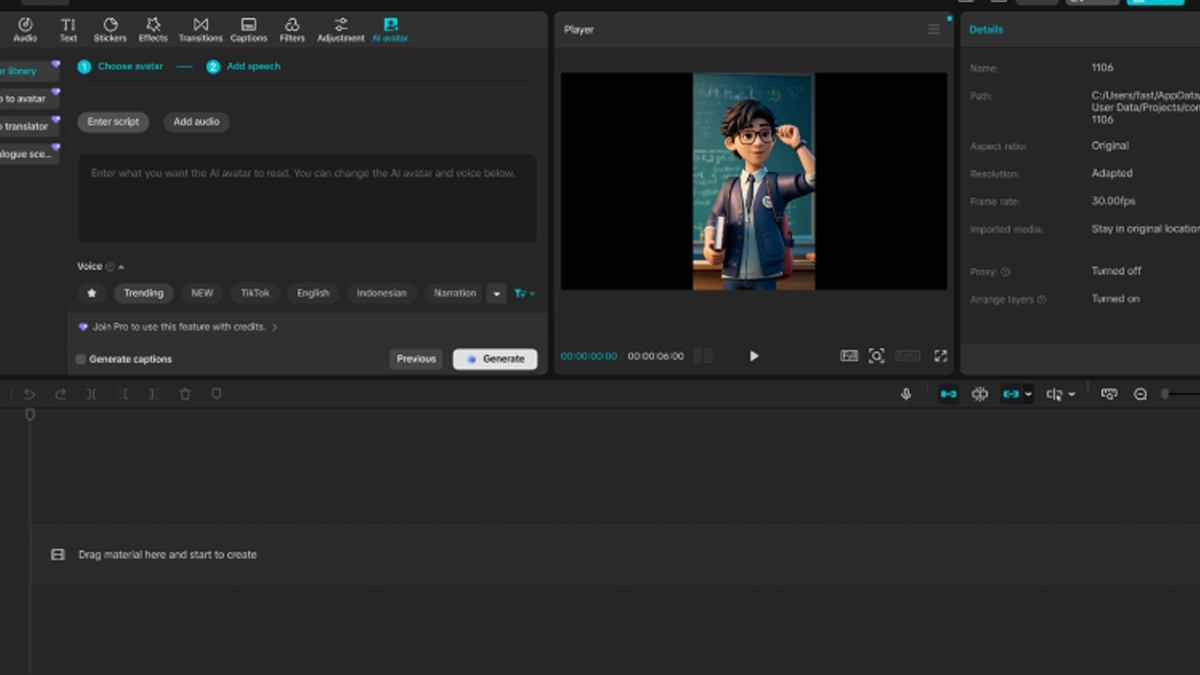
- AI avatar: This is an AI avatar generator that allows creating animated versions of a user in video content based on a single picture.
- AI video generator: Converts written scripts to full videos with the created avatar, with natural lip-synthetic gestures.
- High-level AI Facial Mapping: Records minor characteristics such as expression, skin, and hair to give an authentic avatar.
- Smart Animation Engine: It adds head turns, blinks, and micro-expressions automatically to make it look natural.
- Voice changer: The voice changer feature allows for dynamic transformation of the avatar's voice. Users can adjust pitch, tone, and gender, creating a wide range of voices to suit different characters or scenarios.
- One-Click Background Swap: Changing video backgrounds without the animator avatar being distorted.
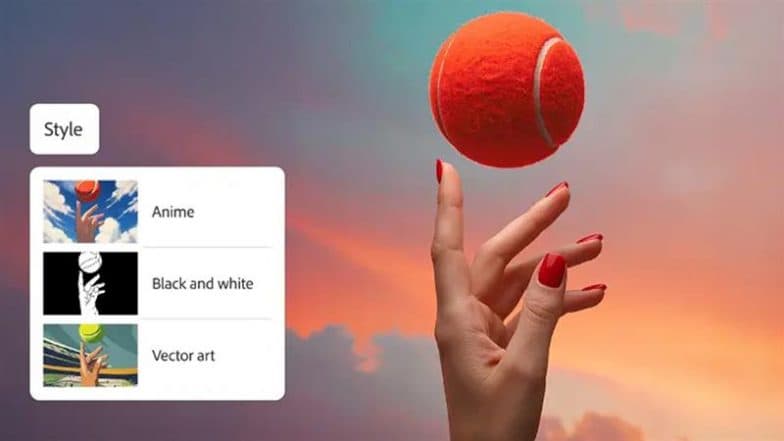
- Style Transfer Filters: Instantly turns avatars into anime, 3D, or sketch.
- Direct Export to Platforms: Exports avatar videos to TikTok and YouTube in one click.
Available on: Web, iOS, Android, Windows, macOS
Overall: 4.8/5
Beginner-Friendly Tools: 5/5
Price: Free, with premium features available through CapCut Pro
Personal Experience
I have been using CapCut as an AI-generated avatars maker for months, and it is my favorite source of content when I am in a hurry. The AI avatar transformed my selfie into a presenter who talks, within 30 seconds- lip sync was impeccable. The 1-minute product demonstration of a scripted video was generated with my cloned voice by the AI video generator tool. I packaged 10 avatars in various styles (cartoon, pro, anime) and posted 4K videos on YouTube. Everything was done on the free tier, and Pro is added with Polish.
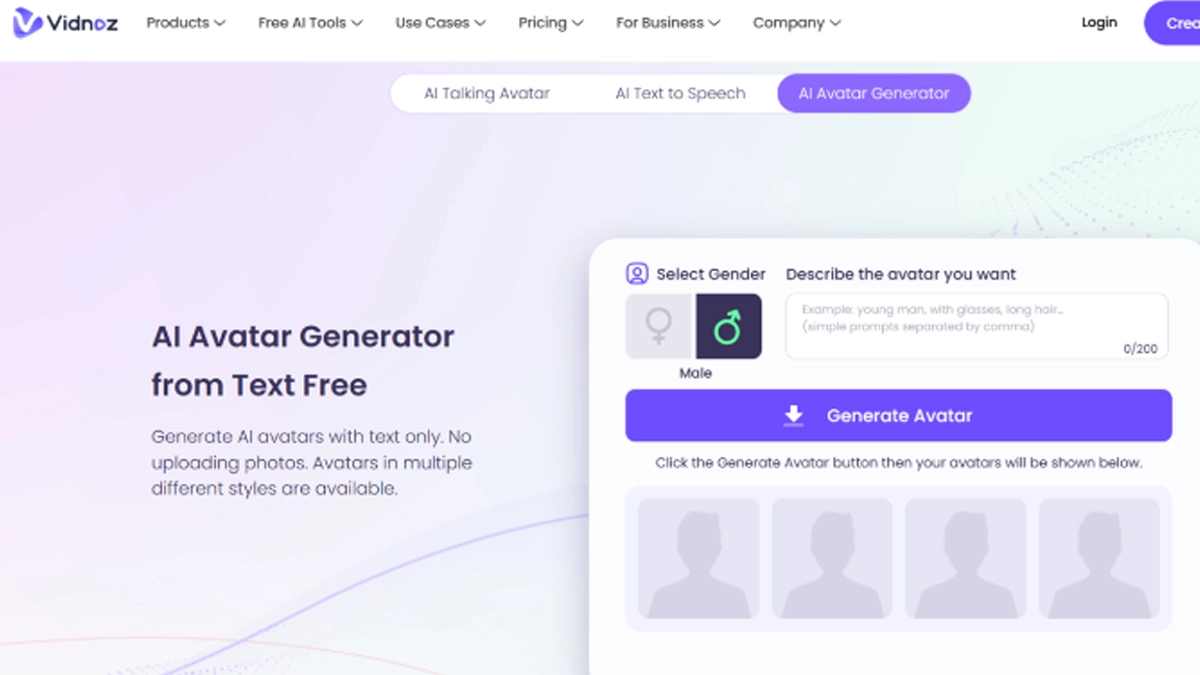
2. Vidnoz- Suits Developed Talking Avatars
Pros
- Produces hyper-realistic talking avatars, which move their heads in a natural movement and are capable of emotional expressions.
- Propositions 1200+ avatars themes - various ethnicities, ages, and occupations.
- Sustains 140 or more languages in voice cloning. Perfect for global content.
- It has gesture and body animation, which means full-body movement to use videos.
Cons
- The free plan has a video duration of 1 minute. Videos of longer length need an upgrade.
- Free export Pro Watermarks eliminate branding.
Key Features
- Hyper-Realistic Avatars: Simulate realistic computer-generated human figures with smooth movements and minor facial expressions.
- Voice Cloning: Records and portrays individual voice intonations to produce personal speech.
- Multi-Language Support: Provides information in 140 languages and pronounces them accurately.
- Gesture Library: Provides hand signs, nodding, and body language to deliver them naturally.
- 1080p Export: This is used in producing high-definition video output, which can be used professionally.
- Template Variety: Offers ready-made avatars to be deployed immediately in any industry.
- Emotion Control: Modulates the tone to express excitement, empathy, or authority.
- Background Integration: Fades the avatars into the custom or stock environment.
Available on: Web, iOS, Android, Windows, macOS
Overall: 4.4/5
Beginner-Friendly Tools: 4.5/5
Price: Free, with premium features available through Vidnoz Pro
Personal Experience
I had to use Vidnoz AI avatar generator when I had a small project that required a video in two languages. I have posted a clear image of myself, and I have selected a template from their massive library. The avatar immediately became alive with its head turning smoothly, and the blinks appeared to look real. It was not robotic, but it was natural.
After that, I recorded my voice on the English part and cloned it into Spanish. The avatar did not have any strange pauses when switching languages. I made some hand gestures to indicate on a screen chart, and all remained the same. The entire video was completed within ten or so minutes.
Next, I tried the body animation, which was also a pleasant touch. The avatar moved forward when making a point and waved in the end.
Finally, Vidnoz suited fine with polished multi-lingual material. I applied it to an immediate client update, and they believed that I employed a studio. The free version is restricted, but it is ideal for short, professional clips.
3. Synthesia
Pros
- Enterprise quality avatars, employed by BBC, Zoom and Fortune 500s.
- 150 stock avatars + design further, option to select pre-made or create your own.
- An AI script generator has been added, which generates bullet points into full narrated videos.
- Teamwork has characteristics of shared workspaces and brand consistency tools.
Cons
- No free tier available. The subscription begins at $22/month.
- Custom avatars Learning curve is most appropriate for structured teams.
Key Features
- Custom Avatar Generation: Generates digital twins based on video recordings uploaded by users.
- AI Scriptwriting: Creates professional narration based on an input text.
- 120+ Languages: Supports international content using native-sounding speech.
- Brand Kit Enforcement: Secures logos, colours, and fonts across all videos.
- API Access: Allows automation and connectivity to enterprise systems.
- 4K Output: Provides broadcast-quality video to any platform.
- Version History: Keeps a track of changes and can roll back to the old version.
- Analytics Dashboard: Measures viewer interaction and drop-offs.
Available on: Web
Overall: 4.8/5
Beginner-Friendly Tools: 3.5/5
Price: From $22/month
Personal Experience
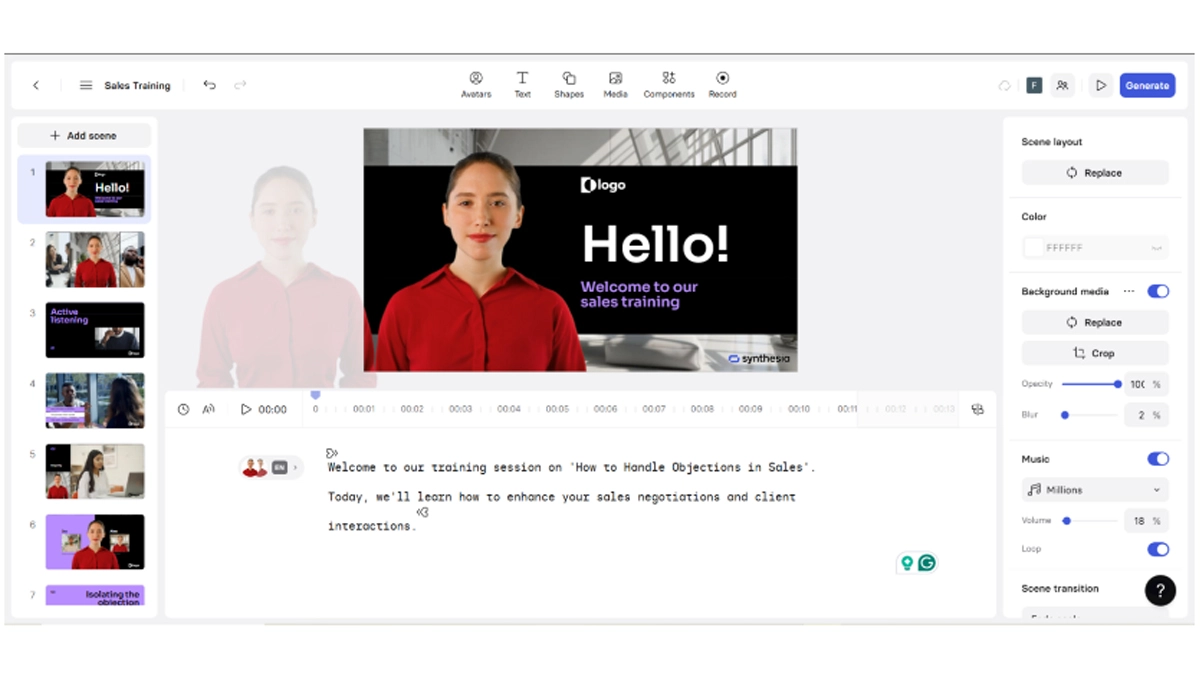
I created a Synthesia AI avatar generator training video about a team that required an official look. I began using one of their stock avatars because I did not have time to record myself. I wrote points in bullets, and the AI converted them to a full script. The avatar spoke in a strong and composed manner.
Then I also inserted our company logo and colours through their brand kit. All slides remained homogeneous. I added screenshots of our software as she was describing, and the avatar used to indicate buttons. It was as though a live presenter was going through the actions.
Collaboration was easy, too. My teammate would go through the draft and make comments on the timeline. We did minor modifications and released the version in 4K. The video worked very well on our in-house portal.
4. Elai.io - Most Educational Avatars.
Pros
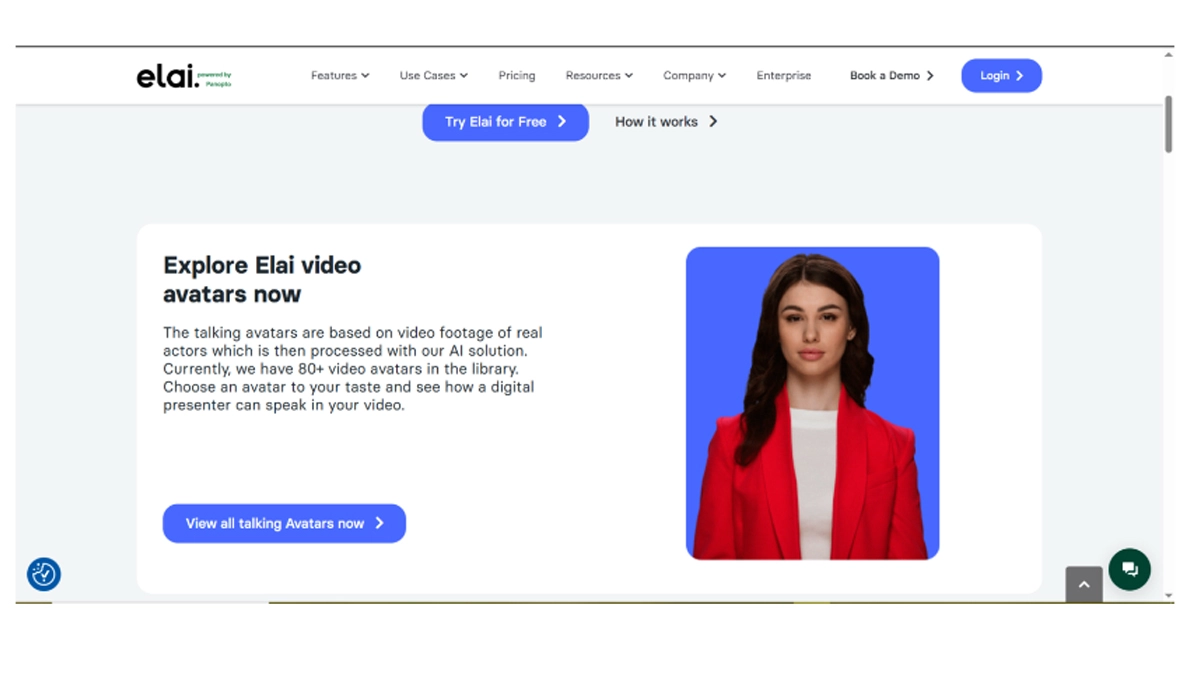
- PPT video conversion converts slides into video presentations with narrations.
- Interactive Avatar elements add clickable buttons and quizzes.
- LMS Export to Moodle, Canvas, and others.
- Auto-translation Multilingual Converts the content to 75+ languages within a minute.
Cons
- The free plan was very limited to a 1-minute watermarked video.
- Complicated non-educational overkill for casual.
Key Features
ImportPPT: Turns PowerPoint files into animated avatar videos.
Interactive Elements: Incorporates polls, quizzes, and navigation buttons.
- SCORM Compliance: Learning management system exports.
- Auto-Translation: Translates the content in 75+ languages with a voice-on.
- Avatar Library: Includes 100 or more pre-built presenters.
- Screen Recording Add-on: Avatar with screen capture.
- Progress Tracking: Tracks viewer progress and quiz scores.
- Template System: education-based layouts.
- Available on: Web
Overall: 4.3/5
Beginner-Friendly Tools: 4/5
Price: Freemagic; Pro/month: starting at 23.
Personal Experience
I created a dull slide presentation into a video lesson with Elai.io AI avatar generator. I used my PowerPoint on basic math, and all the slides were imported by the tool. I picked an avatar character that resembled a teacher with glasses, and he was friendly. She described all of the steps when the slides were changed.
I included quiz questions that appeared on the screen. Respondents were able to give responses by clicking on answers, and the avatar provided feedback. One button translated the entire one into Spanish. The tone was natural in both languages.
Elai.io turns dry lessons into fun and interactive ones. I apply it to school newsletters and parent manuals.
5. Rephrase.ai
Pros
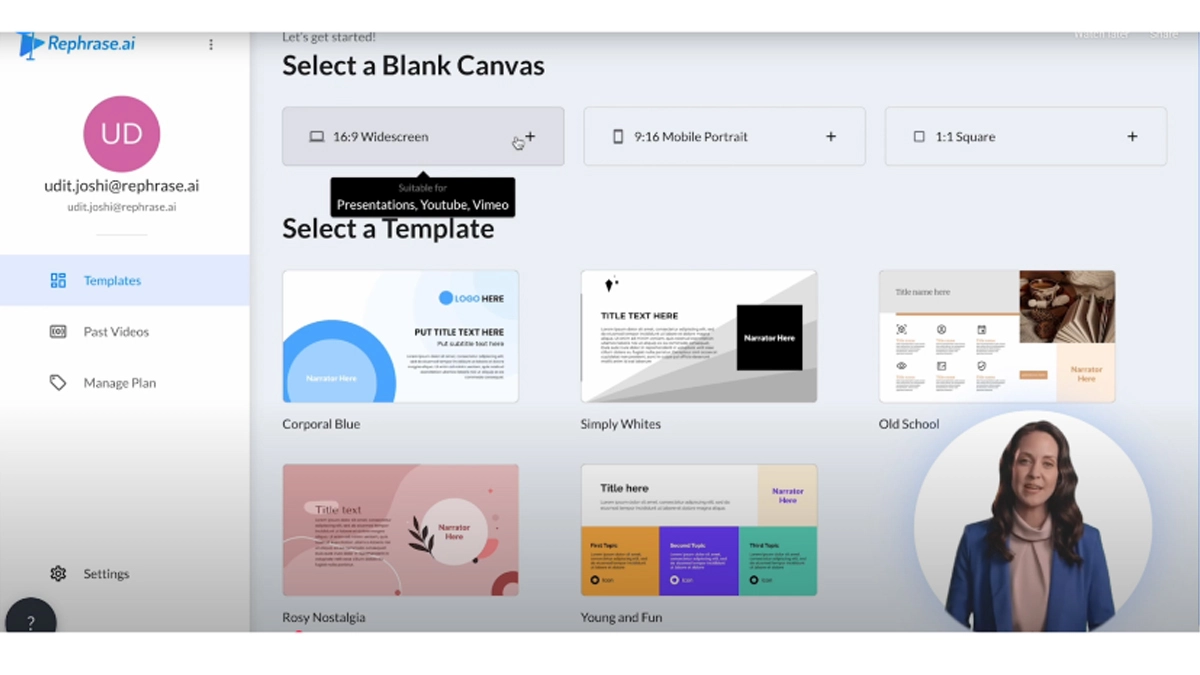
- Video generation at scale: 1:1 personalised video generation. Line up information such as name and company into scripts.
- Generates hyper-realistic avatars that are close to becoming a real human being.
- Automation API Integrates with CRM and email.
- A/B testing is built in, tests various scripts and avatars.
Cons
- No free tier, Enterprise pricing only
- Preparation time of custom avatars: Needs studio-quality recordings.
Key Features
- Merging personalization: Adds recipient-specific information to the video.
- Hyper-Realism Engine: Avatars with skin and movement of a human-like.
- API Integration: Generates videos automatically out of databases.
- A/B Testing: Comparison of the performance of various versions.
- CRM Sync: HubSpot, Salesforce, etc.
- 4K Output: The picture offers professional-quality video.
- Analytics Suite: Views, tracks, and engagement.
- Sample Library: Sales, support, and onboarding templates built.
Available on: Web
Overall: 4.6/5
Beginner-Friendly Tools: 3/5
Price: Custom pricing
Personal Experience
I sent personalized thank-you videos to 50 clients with the help of Rephrase.ai. I posted a spreadsheet with names and order details. The tool generated a video of individual people. Their name appeared in my avatar, and what they purchased was stated.
The avatars were so life-like with such slight movements of eyes and smiling. I wrote one base message, and the AI has customized it for everyone. The videos were intimate and not mass-produced. Rephrase.ai is costly but effective for sales and support.
6. Hour One
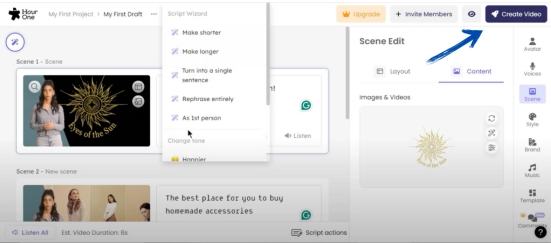
The hour one is the most appropriate when it comes to news-style avatars.
Pros
- News anchors' avatar templates, business broadcasts.
- Representing an article as a video, 60 seconds, paste the article, and acquire a news report.
- Teleprompter mode, voice record, avatar lips.
- Multi-cam shots, dynamic shots without shooting.
Cons
- Free plan with a limitation of 3 videos/month. Watermarked output.
- Style restricted to news/professionals. Not suitable in case of casual content.
Key Features
- News Templates: Studio kits and anchor desks.
- Text-to-Video: Turns articles into videos.
- Teleprompter Sync: Matches audio with the avatar's lips.
- Multi-Angle Camera: Tries to imitate director cuts and zoom.
- 4K Export: Gives broadcast-quality footage.
- Lower Thirds: Includes professional text overlay.
- Stock Footage Compilation: Not a bad mixer of B-roll.
- Voice Library: Provides the newsreader tones and accents.
Available on: Web
Overall: 4.3/5
Beginner-Friendly Tools: 4.5/5
Price: Free with restrictions; Pro starting at $25/month.
Personal Experience
I transformed a company blog article into an hour-long news segment. I copied the text and selected an anchor desk template. The avatar sat down behind a desk and read out the article as a TV host.
I used the teleprompter mode of the voice recorder. Lastly, the mouth of the avatar was the same as the word. I included key points in the lower-third text.
Hour One would be best to announce professional events. I identify it as a use in product launches and team news. It renders simple updates official and professional.
7. DeepBrainAI
Pros
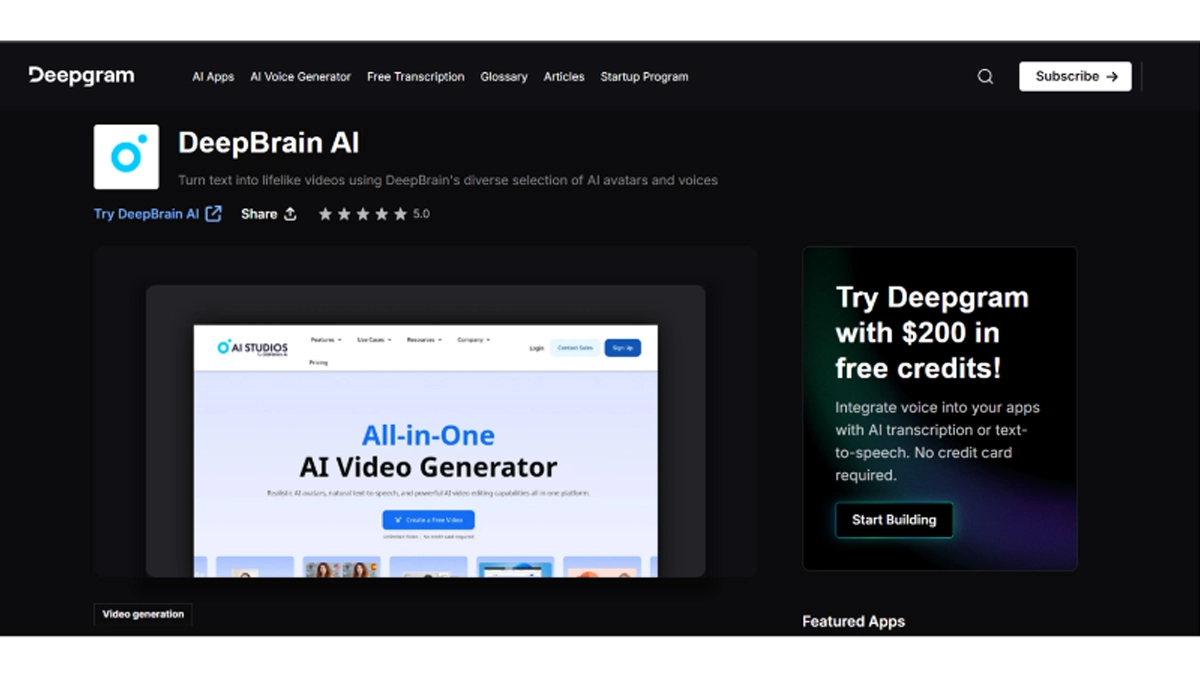
- Micro-expressions of blinks, smirks, and eye darts. Photorealistic avatars with micro-expressions.
- Body language and gesture. The ability to control the point, gesture, lean, and lean in.
- The emotion engine adapts delivery to emotion and context.
- Cinematic fluidity and sharpness 4K, 60fps.
Cons
- Free trial only. No free plan.
- Details System preview: Requires high system requirements on powerful machines.
Key Features
- Micro-Expression Engine: Provides small movements of the face to make it seem real.
- Gesture Control: Customizations of hand and body gestures.
- Emotion Engine: Changes mood to passion.
- 60fps Rendering: Makes the animation smooth and fluid.
- Multi-Language Support: 80+ languages, native voice.
- Background Customization: Green screen or virtual sets.
- Lip-Sync Precision: Mouth-Audio sync within one sub-frame.
- Export Flexibility: Provides MP4, MOV, and web embeds.
Available on: Web, Windows
Overall: 4.7/5
Beginner-Friendly Tools: 3.5/5
Price: Trial; Pro from $30/month
Personal Experience
I used DeepBrain AI to create a support video on frequently asked questions by customers. I made a recording of a five-minute script reciting the best issues. The avatar reproduced my face and my voice to minute details, such as the raising of eyebrows.
I incorporated hand gestures in pointing to text on the screen. The feeling was modified to a friendly one in case of necessity. The whole flow was at 60 frames per second. It appeared as though I had filmed it myself. The experiment allowed me to create one long video. It was fantastic, and I will require a Pro to do more.
8. Colossyan
Pros
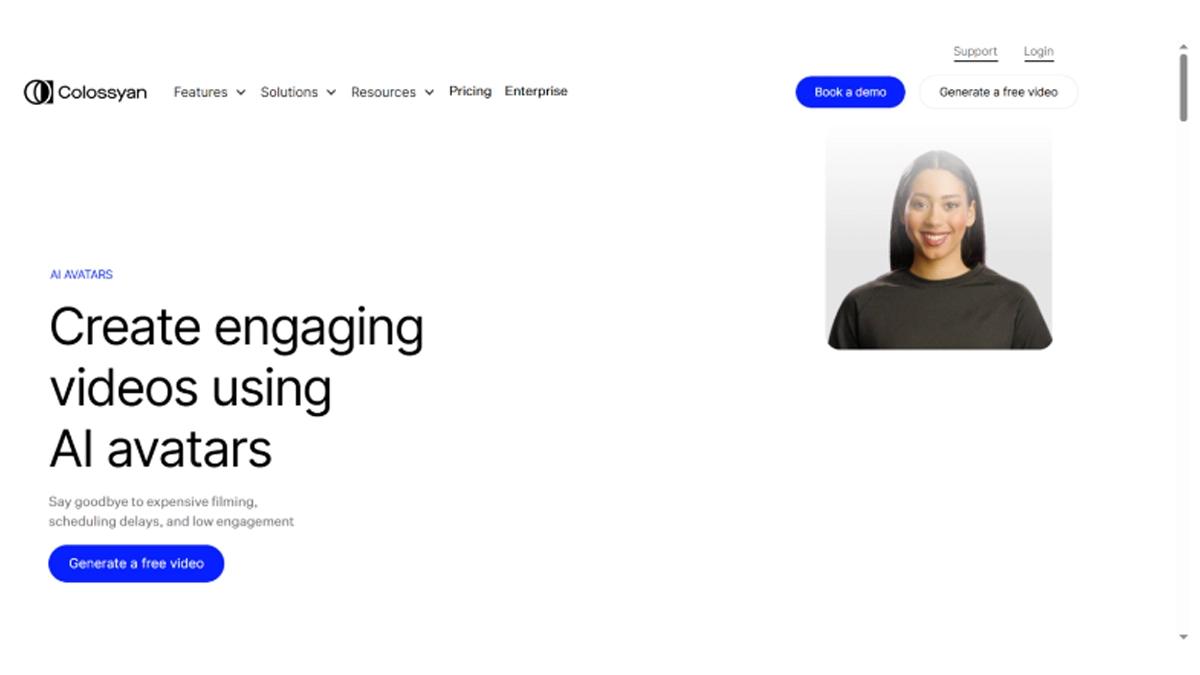
- Endless team slots on any plan. Everyone in the team can create and update.
- Scene editor having more than one avatar supports panel discussions and interviews.
- Version control keeps a record of changes and has a rollback facility.
- Enforcement Brand kits: Enforce logos, colors, and fonts.
Cons
- No free plan starts at $28/month.
- Too much on solo creators, best on teams and agencies.
Key Features
- Team Workspaces: Provides real-time teamwork on projects.
- Multi-Avatar Scenes: The usage of multiple presenters in a single video.
- Version History: Saves and restores the older versions of videos.
- Brand Kit: Imposes visual coherence on content.
- Translation Engine: Translates videos into 70 or more languages.
- Scene Templates: ready to train, market, and HR.
- Commenting System: Feedback on timeline.
- Enterprise Security: Provides SSO and encryption of data.
Available on: Web
Overall: 4.5/5
Beginner-Friendly Tools: 4/5
Price: From $28/month
Personal Experience
Colossyan AI avatar generator was the company with which my team did a product demo. We created a stage that consisted of three avatars-we all filmed our roles. One of them described features, the other displayed advantages, and the third interrogated.
The comments on the timeline and fixed lines were easily left. Version control enabled us to experiment with various scripts without wasting work. Colors and logos were the same in the brand kit.
We delivered the ultimate video in 4K and sent it to sales. The project could be accessed by anyone, anywhere.
Colossyan is a better team worker. We utilize it in training and marketing videos. It is time-saving, and it keeps everybody on track.
9. D-ID
Pros
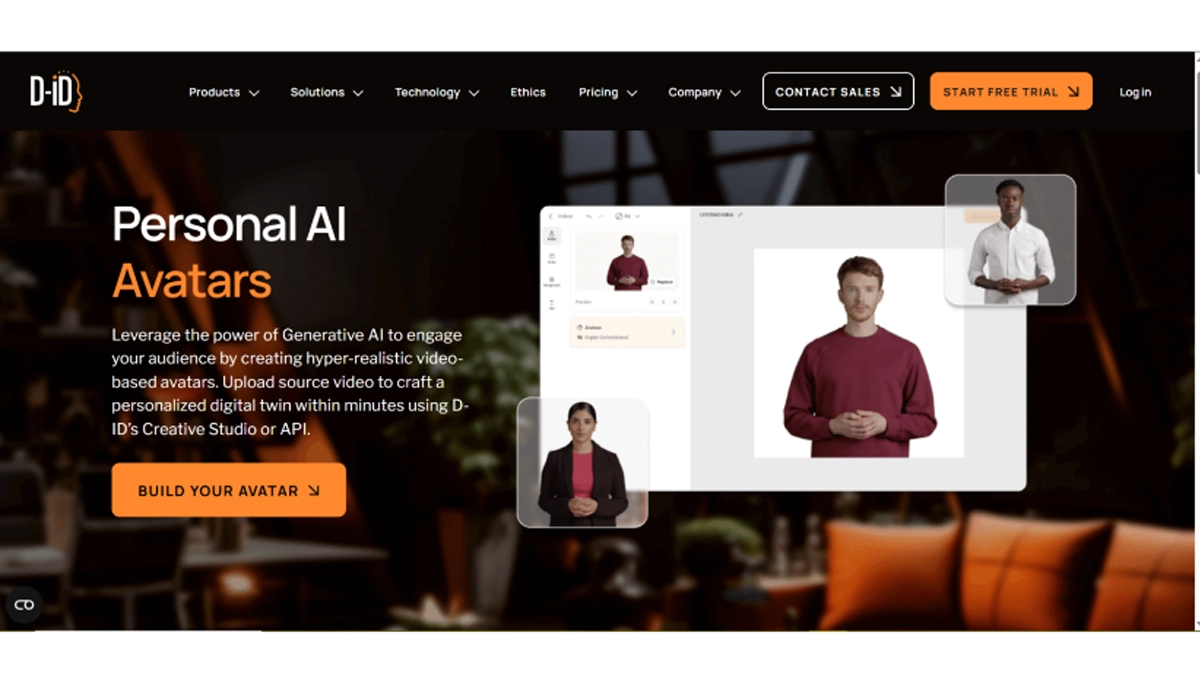
- Simulates still shots within a few seconds. No capturing of video required.
- Music lip-sync, audio, or text upload.
- Mass production API: Fabricate thousands simultaneously.
- Web embed Avatars talk on websites.
Cons
- Free for 5 seconds, only very brief clips.
- No motion capture Head and face.
Key Features
- Photo Animation: Speech NATO brings motion to the still pictures.
- Audio/Text Sync: Corresponds the mouth to the audio uploaded or generated.
- API Automation: API increases production through code integration.
- Web Embed: Installs talking avatars on home pages.
- Multi-Language: Accepts 100 or more languages and accents.
- Expression Control: Controls smile, nod, and eyebrow movement.
- Background Options: Depth virtuality or visibility.
- Export Formats: Supports MP4, GIF, and web widgets.
Available on: Web
Overall: 4.2/5
Beginner-Friendly Tools: 5/5
Price: free because of limitations; Pro starting at $18/month.
Personal Experience
I have used D-ID to animate old family photos on a memorial website. I posted an image and wrote a brief text. The face came alive and uttered the words with some delicate movements of his lips.
I inserted sweet phrases, such as a little smile. This video was not much more than a few seconds because the free limit was perfect. I placed it on the page, and the visitors listened to the voice. D-ID works well with short and emotional messages. I take it as tributes and greetings.
Signing Off
A total of 10 AI avatar generators were tested and evaluated, including notable competitors such as Synthesia, Vidnoz, and Vidnoz. Each tool was assessed based on customization options, realism, ease of use, speed, output quality, and AI integration. After careful professional testing, CapCut AI avatar generator emerged as the top recommendation, offering an intuitive interface and powerful AI capabilities that enable the creation of high-quality avatars efficiently, making it suitable for both beginners and experienced creators.
(All articles published here are Syndicated/Partnered/Sponsored feed, LatestLY Staff may not have modified or edited the content body. The views and facts appearing in the articles do not reflect the opinions of LatestLY, also LatestLY does not assume any responsibility or liability for the same.)