PF Transfer Problems? Here’s How Incorrect Job Details Can Delay Claims and How To Fix Them
Incorrect job details in your EPFO account can delay PF transfers and even lead to claim rejection. Errors in exit dates, employer name, or personal details can cause verification issues. Learn how to check and correct your PF records online or offline to ensure smooth withdrawals and avoid unnecessary delays.

Employees relying on Provident Fund savings during job changes or emergencies may face delays if their records contain errors. The Employees' Provident Fund Organisation has highlighted that incorrect job details, such as wrong exit dates or employer information, can disrupt PF transfers and even lead to claim rejections.
PF accounts are closely tied to an employee’s work history, making accuracy essential. Even minor mismatches in employment or personal details can trigger verification issues, delaying access to funds when they are needed most. EPFO 3.0 PF Rules Explained: What’s the Maximum Amount You Can Withdraw via ATM and UPI?
Why Job Details Matter in PF Records
PF accounts are linked to a Universal Account Number (UAN), which maintains a record of an employee’s service history. Details such as date of joining, date of exit, and employer name must match across all entries.
Any inconsistency can lead to system errors, requiring additional verification and slowing down the processing of transfer or withdrawal requests. How To Calculate PF Balance Without Logging In.
Common Errors That Cause Delays
Several common mistakes can affect PF transactions:
- Incorrect or missing exit dates
- Wrong employer name or incomplete company details
- Mismatched personal information such as name or date of birth
- Employer not updating employment records on time
In many cases, employees discover these issues only when their transfer request gets stuck or a claim is rejected.
Impact on PF Transfer and Withdrawal
When discrepancies exist, PF transfer requests may remain pending for extended periods. In more serious cases, withdrawal claims can be rejected altogether, requiring employees to restart the process and submit additional documentation. Such delays can be particularly challenging during emergencies or job transitions when timely access to funds is critical.
How to Check Your PF Details
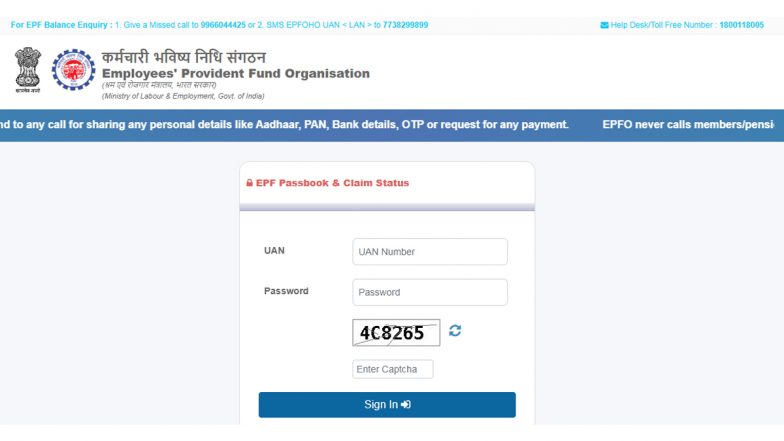
Employees can verify their records online through the EPFO member portal by reviewing:
- UAN profile details
- Service history
- KYC information
Regular checks can help identify and fix errors early, avoiding complications later.
How to Correct PF Details
Corrections can be made through online or offline methods:
Online Method (Recommended)
- Log in to the EPFO Member Portal using UAN credentials
- Navigate to ‘Manage’ and select ‘Modify Basic Details’
- Enter correct details as per Aadhaar
- Submit for employer verification
Once approved by the employer, the EPFO processes the update.
Offline Method
- Fill the Joint Declaration Form with correct details
- Get it signed and stamped by the employer
- Submit it to the nearest EPFO office with supporting documents
Documents Required for Correction
Employees may need the following documents:
- Aadhaar card (mandatory)
- PAN card
- Birth or school certificate (for date of birth correction)
- Marriage certificate or gazette notification (for name changes)
- Role of Employers in PF Updates
For errors related to employment details, employees must coordinate with their HR departments. Employers are responsible for updating exit dates and verifying correction requests on the EPFO system.
Importance of Keeping Records Updated
Experts advise employees to keep documents such as salary slips, offer letters, and relieving letters readily available. These records can support correction requests and ensure faster resolution.
Maintaining accurate PF details is essential for seamless transfers and timely withdrawals. Regular verification and prompt corrections can help employees avoid delays and administrative hurdles.
(The above story first appeared on LatestLY on Apr 09, 2026 04:00 PM IST. For more news and updates on politics, world, sports, entertainment and lifestyle, log on to our website latestly.com).