How To Increase Your Smartphone's Battery Life? Check Best Ways to Prolong Your Battery Health
Smartphone battery life depends less on usage and more on heat, charging extremes and settings. Experts advise keeping charge between 50 and 80 per cent, avoiding overnight full charges, managing heat, dimming displays, limiting background services, using flight or battery modes when idle, and relying on adaptive charging software.

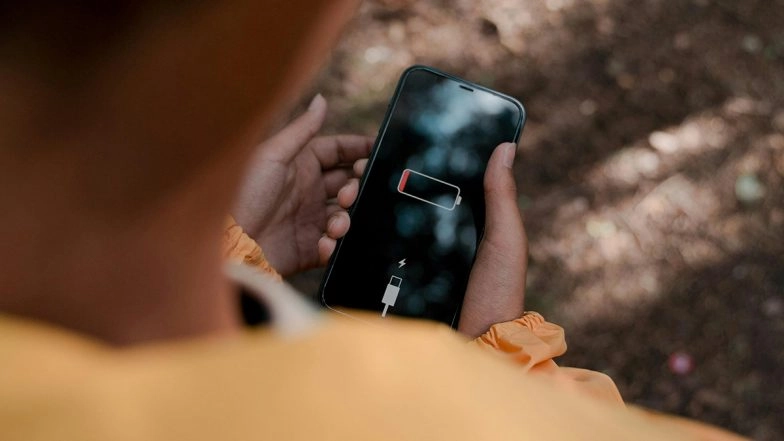
Mumbai, January 18: As mobile devices become increasingly integral to daily life, maintaining battery health has emerged as a primary concern for smartphone users. Experts suggest that while modern lithium-ion batteries are more resilient than their predecessors, simple adjustments to charging habits and system settings can significantly prolong a device's lifespan. By moving away from traditional “full-charge” habits and leveraging new AI-driven software, users can effectively delay the inevitable degradation of hardware.
The transition to 5G connectivity and the rise of high-refresh-rate displays have increased the energy demands placed on modern handsets. However, recent data indicates that the most significant factor in battery wear is not the intensity of use, but thermal stress and voltage pressure caused by extreme charging states. Adopting a more scientific approach to power management can ensure that a smartphone remains functional for several years before requiring a professional battery replacement. It is not about how large your phone's battery is but how long will it function properly. How To Go Live on X; Check Step-by-Step Process of Going Live on Elon Musk’s Social Platform Using Third-Party Software, Media Studio and OBS Studio.
The 50–80 Rule and Smart Charging
The most impactful change a user can make involves rethinking the charging cycle. Modern lithium-ion batteries are best kept between 50% and 80% charged. Regularly allowing a phone to drop to zero or keeping it plugged in at 100 per cent for extended periods, such as overnight, causes the device to fluctuate between 99 per cent and 100 per cent, wasting energy and accelerating chemical breakdown.
To mitigate this, industry experts recommend charging in short bursts throughout the day rather than one long overnight session. If overnight charging is unavoidable, users should enable “Optimised” or “Adaptive” charging features found in system settings. Furthermore, unplugging the charger once the phone is full and turning off the wall socket can reduce unnecessary energy consumption and heat build-up.
Managing Heat
Heat remains the primary enemy of electronics. Charging a phone in a hot car or under a pillow can cause temperatures to rise above the optimal threshold, leading to permanent capacity loss. Diversifying charging methods can also help. Using a car charger during commutes or modern solar chargers, which now work even on overcast days, can provide a steady power supply without over-reliance on high-voltage home fast chargers.
Display Brightness and Usage
Since the screen’s backlight is the largest power consumer, reducing brightness is essential. Users can go further by choosing black or dark-coloured wallpapers and screensavers, as brighter images demand more power. Adjusting the screen timeout to the lowest comfortable setting, such as 15 seconds, ensures the display does not stay active while the phone is idle in a pocket or on a desk.
Wi-Fi and GPS Settings
One of the most efficient ways to save battery is to manage hidden background services. Features such as Wi-Fi scanning, which searches for open networks even when Wi-Fi is switched off, should be disabled in the location services menu. Revoking location permissions for apps that do not strictly require them also prevents constant GPS activity that drains the battery. iOS 18.2 Release Date: Apple To Launch Its Next iPhone OS Update Next Month With Apple Intelligence Features Like Genmoji, Image Playground and More; Check Details.
Super Battery Mode
Strategic use of flight mode during times when connectivity is not needed, such as while driving or at the cinema, can preserve significant power. For critical situations, super battery mode should be engaged to restrict power-hungry apps while keeping essential functions like calls and messages active. Occasionally giving the phone a night off by putting it aside can also reduce data centre strain and overall hardware wear.
(The above story first appeared on LatestLY on Jan 18, 2026 02:20 PM IST. For more news and updates on politics, world, sports, entertainment and lifestyle, log on to our website latestly.com).