What Is WhatsApp Strict Account Settings? New Privacy Feature Explained
WhatsApp Strict Account Settings are here. Launched on January 27, WhatsApp Strict Account Settings, a one-click toggle, is designed to protect users, particularly journalists, activists, and public figures, from sophisticated cyberattacks and state-sponsored spyware.

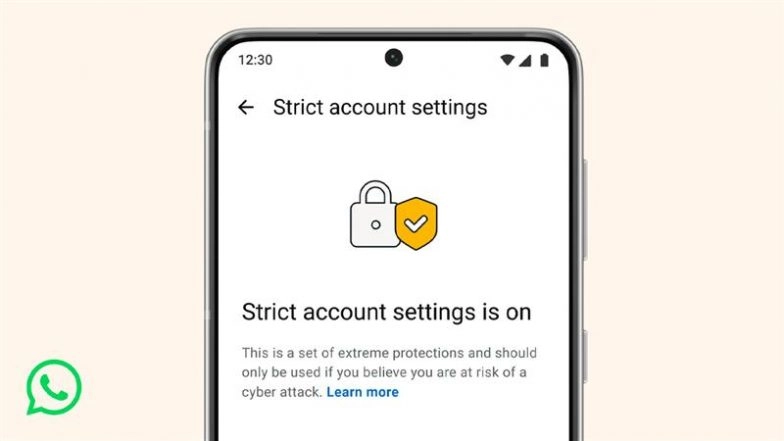
Mumbai, January 27: WhatsApp Strict Account Settings are here. Launched on Tuesday, January 27, WhatsApp Strict Account Settings, a one-click toggle, is designed to protect users, particularly journalists, activists, and public figures, from sophisticated cyberattacks and state-sponsored spyware. While standard end-to-end encryption remains the default, this new mode adds an extra layer of "extreme safeguards" for those who face heightened digital threats. WhatsApp Is Testing Group Chat History Sharing for New Members, Will Introduce Ad-Free Subscription Plan for Updates Tab: Report.
The WhatsApp Strict Account Settings feature works by automatically locking several privacy controls to their most restrictive levels. By enabling it, users trade a bit of convenience for a much stronger defensive posture. Behind the scenes, WhatsApp also revealed it has rewritten large portions of its media-sharing code in the Rust programming language, a move intended to eliminate memory-safety vulnerabilities often exploited by hackers to install malware. Can WhatsApp Read Your Messages? Will Cathcart Responds to Elon Musk’s Privacy Attacks, ‘Headline-Seeking’ Lawsuit.
What Is WhatsApp Strict Account Settings?
Strict Account Settings is an all-in-one privacy toggle that instantly hardens your account against external threats. When activated, the app enforces a series of rigorous security protocols that limit how strangers can interact with you. These protections include:
- Blocking Unknown Media: Prevents automatic downloads of photos, videos, and documents from unsaved contacts to stop malware-laden files.
- Silencing Unknown Callers: Mutes incoming calls from unrecognised numbers to protect against "zero-click" exploits.
- Disabling Link Previews: Removes website thumbnails in chats to prevent your IP address from being leaked to external servers.
- Restricted Visibility: Limits your profile photo, "Last Seen," and status updates strictly to your saved contacts.
How to Enable WhatsApp Strict Account Settings Feature
The feature is currently rolling out to the latest versions of WhatsApp on Android and iOS. To activate it:
- Open Settings in your WhatsApp app.
- Navigate to Privacy > Advanced.
- Toggle on Strict Account Settings.
The launch follows a public spat between WhatsApp head Will Cathcart and Elon Musk over platform security. By introducing these tools, WhatsApp is aligning itself with Apple’s "Lockdown Mode" and Google’s "Advanced Protection." The company stated that while their encryption is unbreakable, these additional measures are necessary to thwart rare but highly targeted attacks, such as those involving Pegasus-style spyware.
(The above story first appeared on LatestLY on Jan 27, 2026 11:26 PM IST. For more news and updates on politics, world, sports, entertainment and lifestyle, log on to our website latestly.com).