Retro Prompt: Google Gemini’s ‘Nano Banana’ AI Saree Trend Goes Viral, How To Create Vintage Saree Look For Stunning Portrait Images
From chiffon sarees floating in the wind to classic black nine yards captured in grainy frames and even polka dots captivating the viewers – Google Gemini AI saree trend has let users hooked on the images. The result is a mixture of fashion nostalgia and cinematic drama.

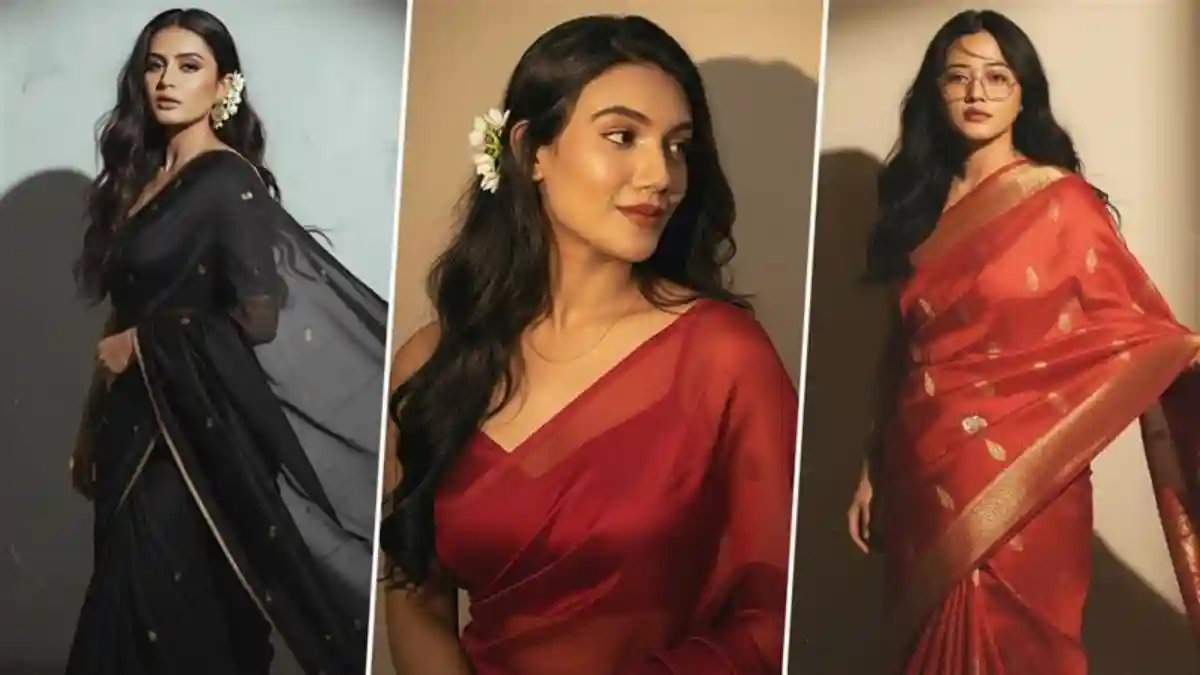
Artificial intelligence (AI) is no longer just a buzzword – it’s actively shaping our online world in ways we are only beginning to understand. The latest algorithm across social media platforms reveals a dramatic surge that is transforming how we interact online. With simple prompts, one can change their mundane pictures into dreamy content. We saw Studio Ghibli ruling the social media timelines, and now the vintage saree edits have arrived. Google DeepMind’s latest image editing model, playfully called ‘Nano Banana’ is now live on the Gemini App, allowing users to create transformative photos. From turning pets into 3D figurines to reimagining houses into tropical villas, the Gemini AI photo editor, with the use of a retro prompt is ruling the social media timelines and how! In this article, let us understand the Google Gemini’s ‘Nano Banana’ AI saree trend and how one can create vintage saree looks for stunning portrait images using the retro prompt.
What Is Google Gemini’s ‘Nano Banana’ AI Saree Trend?
You must have come across AI images in traditional sarees that look straight out of the 1970s fashion aesthetics. The images are created using Google Gemini’s ‘Nano Banana’ tool with retro saree prompt help. From chiffon sarees floating in the wind to classic black nine yards captured in grainy frames and even polka dots captivating the viewers – Google Gemini AI saree trend has let users hooked on the images. The result is a mixture of fashion nostalgia and cinematic drama. The latest photo editing feature maintains the look of people and pets across multiple edits, seamlessly blending different photos and change the style of an image. They can even transform ordinary objects into fantastical characters. Google’s Gemini AI photo editor also encourages users to get creative with highly specific prompts, leading to further viral social media trend ‘Gemini trending photo prompt’ challenge. Ghibli Art-Style Trend or Privacy Threat? OpenAI ChatGPT, Grok 3’s Studio Ghibli-Style Images Raise Privacy Concerns, Should You Trust Online Tools With Private Photos?
Google Gemini’s ‘Nano Banana’ AI Saree Trend
View this post on Instagram
How To Create AI Retro Saree Trend on Google Gemini?
- Open the Google Gemini App on your mobile or via browser.
- On Gemini, click ‘try image editing’ (look for the Banana icon) to enter the AI editing mode.
- Upload your solo picture where your face is visible.
- Copy-paste one of the viral prompts, or you can create your own prompt. For instance, turn this into a 90s retro-inspired realistic portrait wearing a black chiffon saree with white flowers tucked behind her right ear. The background is a deep wall with golden-hour tones. Her expression is calm yet mysterious, evoking a retro and artistic mood.
- Attach the photo to the prompt and hit send.
- Wait for the Nano Banana to work its magic.
- The AI retro edit of your photo is ready.
- Review and download the image and post across social media platforms.
New AI Trend Alert
View this post on Instagram
Google’s new photo editing feature is compatible with both the app and browsers and works smoothly through any medium. It is also accessible through Google AI Studio, free for users to try their own edits.
(The above story first appeared on LatestLY on Sep 15, 2025 09:57 AM IST. For more news and updates on politics, world, sports, entertainment and lifestyle, log on to our website latestly.com).