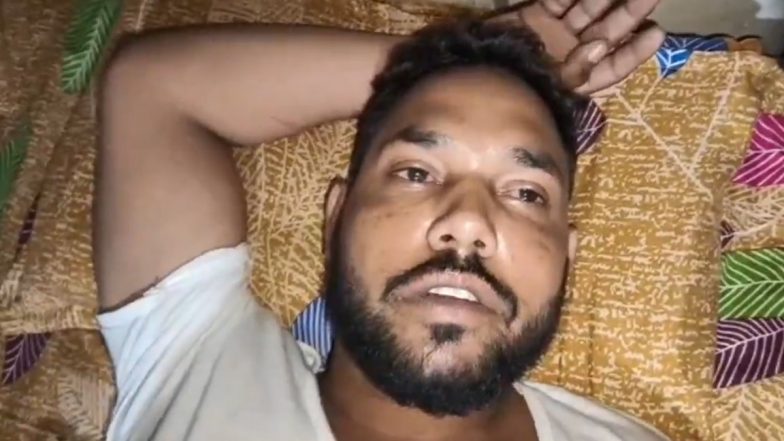
Mumbai, December 23: Cybercriminals in Uttar Pradesh’s Barabanki district have adopted a disturbing new method to dupe unsuspecting users. In a recent case, fraudsters sent a fake road accident image on WhatsApp, which turned out to be a malicious APK file. The moment the victim downloaded it, his mobile phone was compromised and INR 4.44 lakh was siphoned off from his bank account within minutes.
According to the police, the victim, Prashant Verma, a resident of the local grain market area, received a call from an unknown number. The caller claimed that a person had died in a road accident and that Prashant’s identity card was found in the deceased’s pocket. To make the story convincing, the fraudster then sent a photo of the alleged accident on WhatsApp. When Prashant downloaded the image, his phone was hacked, and multiple unauthorised bank transactions began immediately. Digital Voyeurism: From The '19-Minute Viral Video' Leak to Delhi-Meerut RRTS MMS Scandal, What Our Search History Reveals About Us.
WhatsApp Photo Hacking Scam, Police Launches Investigation
Investigations revealed that the so-called photo was actually an APK file disguised as an image. Once opened, it gave cybercriminals complete access to the victim’s phone, allowing them to drain money directly from his bank account. Police say similar APK-based scams are increasingly being used to target people through WhatsApp and other messaging platforms.
Superintendent of Police Arpit Vijayvargiya has urged citizens to remain alert and avoid opening unknown links, images, or APK files received via calls or messages. He also warned people against falling for offers related to part-time jobs, tasks, or investment schemes. Authorities have advised victims to immediately report any suspicious activity to the cybercrime helpline or their nearest police station. After ‘19 Minute’ Video, New ‘MMS Leak’ Goes Viral; CCTV Footage Shows Couple Making Out Inside Delhi-Meerut RRTS Train.
How to Stay Safe from Such APK-Based Scams on WhatsApp?
- Do not download unknown files: Avoid clicking on links, images, or APK files sent by unknown contacts.
- Verify the sender: If someone claims an emergency or unusual situation, confirm through a trusted source before taking any action.
- Use official app stores: Only download apps from Google Play Store or Apple App Store.
- Enable security features: Activate two-factor authentication and regularly update your phone’s operating system and apps.
- Monitor your accounts: Keep an eye on banking transactions and immediately report any suspicious activity.
APK-based scams on WhatsApp are becoming increasingly sophisticated, targeting unsuspecting users with fake images or links. Staying cautious, verifying messages, and avoiding unknown files can protect your personal and financial information. Always report suspicious activity to authorities to prevent falling victim to such cyber fraud.