SwitchBot Lock: Unlock Your Door With Just a Tap of Your Wrist
SwitchBot Lock is a mechatronic gear designed to replace the current deadbolt without changing the surface of the door. The system is built around BLE (Bluetooth Low Energy) as the main communication protocol, providing a robust connection and energy saving.

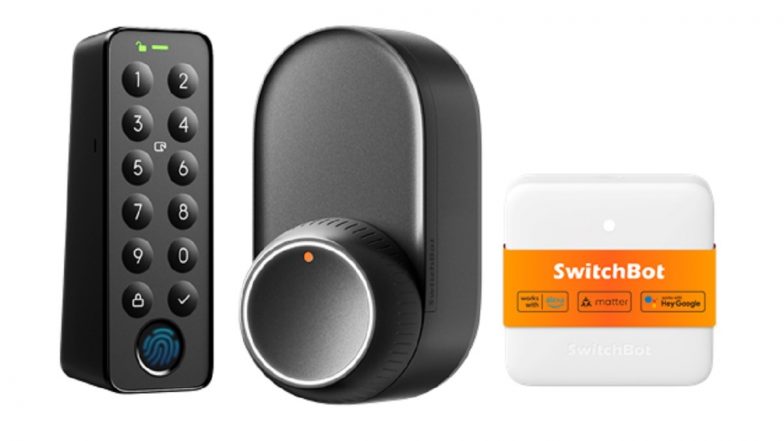
While in the fast-paced world we live in today, time is everything and the search for keys standing at the front door should not be the reason you leave your home late in the morning. And for super busy people, with more and more responsibility squeezed into every day, traditional keys are a silly little old-fashioned solution for a smart, connected world. Introducing the SwitchBot Lock, a revolutionary smart lock mechanism that changes the way we engage with our doors. This amazing new smart lock works in harmony with your existing lock, it comes with multiple access solutions, and even gives you the ability to control who has access, letting you enjoy the absolute peace of mind knowing that your home is secure anytime and anywhere. With such functions as smartwatch integration, NFC accessibility, and fingerprint access, SwitchBot Lock is the envy of burglars and the most intuitive of locks! Providing the flexibility and convenience busy professionals require whether rushing to attend morning meetings, coming home with arms full of daily purchases, or simply allowing other family access, this smart lock system does so with bank-grade security that you can rely on.
Understanding SwitchBot Lock Technology
SwitchBot Lock is a mechatronic gear designed to replace the current deadbolt without changing the surface of the door. The system is built around BLE (Bluetooth Low Energy) as the main communication protocol, providing a robust connection and energy saving. "Lock by Beakon features modular design and high-torque technology that ensures a precise and smooth movement of the lock, and integrated sensors constantly monitor the status of the door.
SwitchBot's integration is a breeze and it is a multi-platform device that works with iOS and Android devices, using the SwitchBot app. For expert users that already own the SwitchBot Hub, you can pair the lock to control it with Alexa, Google Assistant, and Siri for voice control and smart home automation. For all communications, the security architecture of the system provides for bank-level AES-256 encryption, safeguarding against unwanted intrusions or potential cyber-security attacks.
Similar to what August and Yale have done with smart locks, SwitchBot Lock is designed to support the majority of standard deadbolts, and can integrate with a variety of common lock brands, including Kwikset, Schlage, and Yale. It shares firmware regular updates over-the-air, hence continually improving in terms of functionality and security. With added connectivity, the lock will work with other smart home platforms such as Samsung SmartThings, IFTTT, and Apple HomeKit with the use of the compatible hubs, making it part of a complete smart home security system.
Smart Access Methods for Busy Professionals
Smartwatch Integration
Seamless wristband integration: SwitchBot Lock connects to all major smartwatches on the market through the SwitchBot app, allowing hassle-free access with a tap or gesture. Supported devices: Apple Watch Series 3 and beyond, Samsung Galaxy Watch, and most smartwatches using Wear OS. Users can customize quick access gestures, such as a double-tap of the Power Key, or raising the wrist to light up the screen when the band is in use. The interface on the watch readily shows you the current lock status and monitoring history.
NFC Technology Implementation
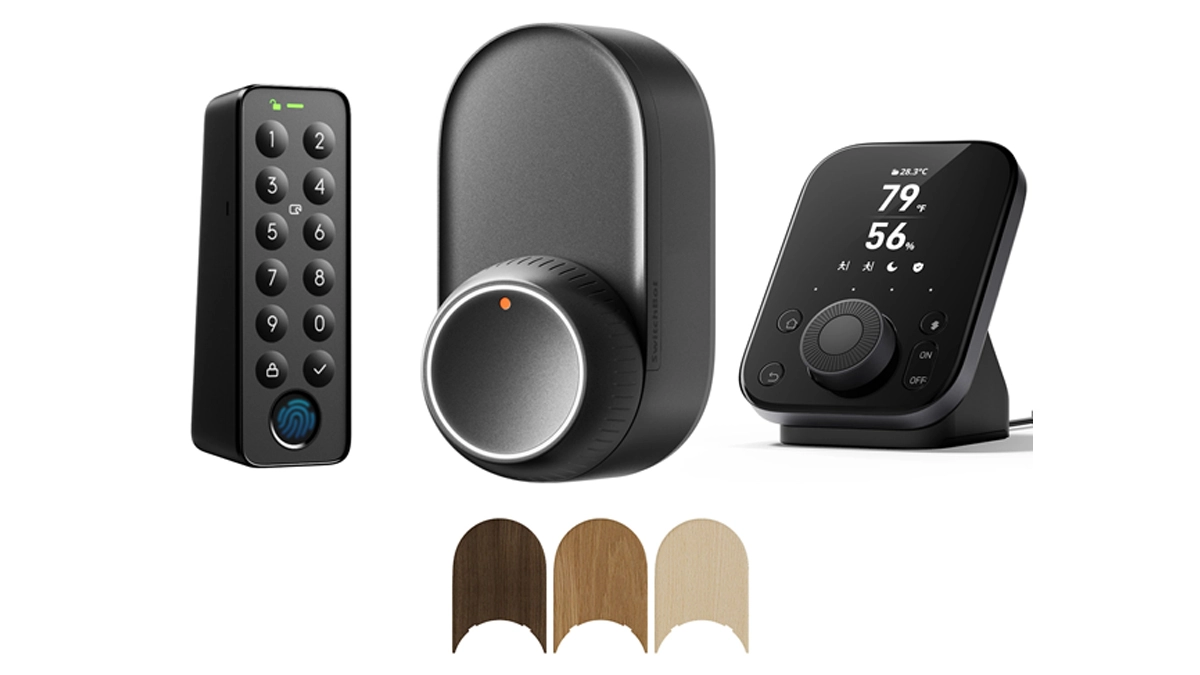
It only takes a few minutes to set up access using NFC in the SwitchBot app. You can sign up for multiple NFC cards or tags, which is perfect when you have loved ones or visitors. It can store up to 50 unique NFC credentials which are linked to different people and these can be tracked or managed separately. If these tags are lost, you can just deactivate them and make a new copy. The lock supports NFC enabled devices, it can identify your smartphone when it is within 4 cm (1.57") close to the lock (no need to open the phone's APP)!
Fingerprint Access System
The fingerprint reader accessory connects directly to your SwitchBot Lock, storing up to 100 unique fingerprints. Registration requires multiple scans per finger to ensure accurate recognition in various conditions. Each user can register multiple fingers, while administrators can easily manage access permissions through the app. The system employs 256-bit AES encryption for fingerprint data storage and features anti-spoofing technology to prevent unauthorized access attempts. Regular calibration ensures consistent performance regardless of environmental conditions or minor finger positioning variations.
Setting Up Your SwitchBot Lock
Getting your SwitchBot Lock installed is easy: Start by downloading the SwitchBot app to your phone, and make sure your phone's Bluetooth is on. Put the mounting plate on the inside of your door, be sure to line up with your existing deadbolt. Affix the plate with adhesive strips provided, making certain it is perfectly level and attached firmly. Then mount the SwitchBot Lock device to the mounting plate, push until it clicks to install.
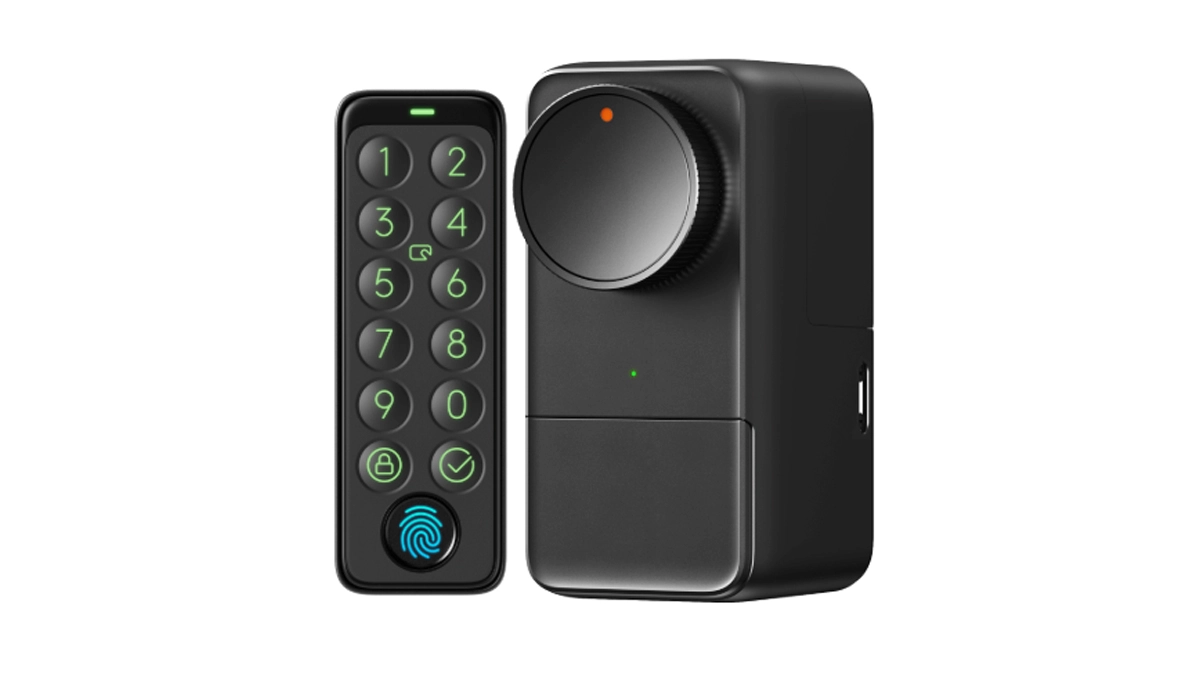
You will want to complete app-based guided install, calibrating the lock's movement range along the way. That means running the lock through a few open-close cycles while the smart lock app gets to know the quirks of your particular deadbolt. For synchronizing with your smartphone, please keep the phone within 2 feet of the lock for a good connection. Your lock will automatically be found by the app, and it will show you how to name and set up access.
In the event of any resistance during operation, verify the alignment of the mounting plate and tighten any loose parts. For connection problems, make sure your phone's Bluetooth is working and try standing closer to the lock when setting it up. To ensure best performance, clean the lock's sensors with a dry cloth and monitor battery power from the app. Don't forget to try out all access methods before you need them, and keep the backup key handy.
Advanced Features for Daily Convenience
The SwitchBot Lock's auto-lock feature gives you peace of mind by ensuring your door locks automatically following a delay which you can program from 30 seconds to 30 minutes. This intelligent feature will help keep your home safe, even when you're rushing out the door or coming home late at night. With the SwitchBot Hub (not included), the lock can be remotely accessed so you can check the door status, give access to or lock your door anywhere with your smartphone.
Simple for managing guest access, double-sided tape and two screws provided, no professional installation skills required, time-limited data key sharing is available on the SwitchBot app. You can customize these short-term permits for specific time frames, such as the times when your housekeeper, pet sitter, or weekend visitor might need to park. The app also logs who is accessing the lock and when, how and even if a user gains access. Integration options are also available thanks to support on smart home platforms including Edge, which might be used to create automated situations (like unlocking when smoke alarms are triggered or working in tandem with security cameras to get better monitoring).
The Future of Smart Home Security
The SwitchBot Lock is a great upgrade to the home access technology providing busy individuals the opportunity to have the best of both convenience and security. Removing the need for traditional keys, this smart lock system revolutionizes daily use with a wide variety of unlock options, ranging from an easy tap on your wrist to a fingerprint sensor to NFC functionality. The smart lock's easy compatibility, features, and strong security make it a great reminder of the good technology that can improve our lives while keeping us secure. With smart home tech becoming more and more advanced, products such as the SwitchBot Lock are driving the industry and opening up the door (pun intended) for stranger and more interesting smart locks. Whether you're balancing a busy schedule, you want to allow family access, or you just want the convenience of a secure home, the SwitchBot Lock gives you the ideal balance of intelligent technology and simple convenience for the modern home.
(All articles published here are Syndicated/Partnered/Sponsored feed, LatestLY Staff may not have modified or edited the content body. The views and facts appearing in the articles do not reflect the opinions of LatestLY, also LatestLY does not assume any responsibility or liability for the same.)